 Posts and Plugins
Patterns and synced patterns
Last reviewed
The short version
- A pattern is a group of blocks, already laid out for you.
- You insert one, then change the words and pictures.
- You can save your own patterns to use again.
- A synced pattern updates everywhere when you edit it once.
Blocks and patterns
A block is one piece, such as a paragraph or a button. A pattern is a collection of blocks. You insert it into a post or page, then change it to suit you.[1]
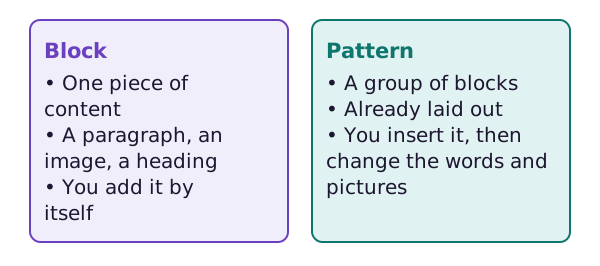
Patterns save time.[1] They also show you how blocks can work together.
Insert a pattern
Open the block inserter, which is the plus button in the toolbar. Then open the Patterns tab.[1]
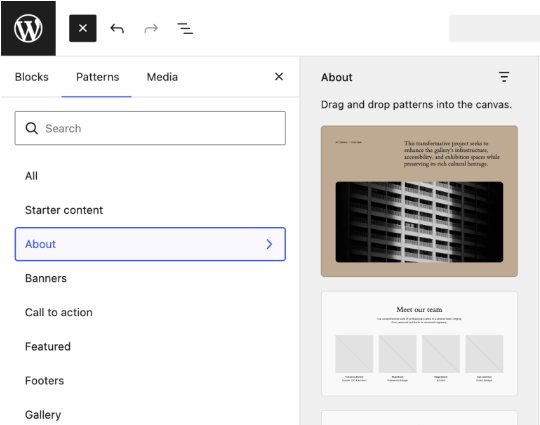
Pick a group on the left, such as About. Click a pattern to insert it where your cursor is.
After you insert a pattern, you can change its text and swap its images. This is called content-only editing. It stops you from breaking the layout by accident.[1] To change the layout too, use the Edit pattern button.
Find more patterns
WordPress has an official Block Pattern Directory. You can explore it for more patterns.[1] Choose a pattern, copy it and paste it into your post.[1]
Save your own pattern
You can create your own patterns. This has been possible since WordPress 6.3.[1]
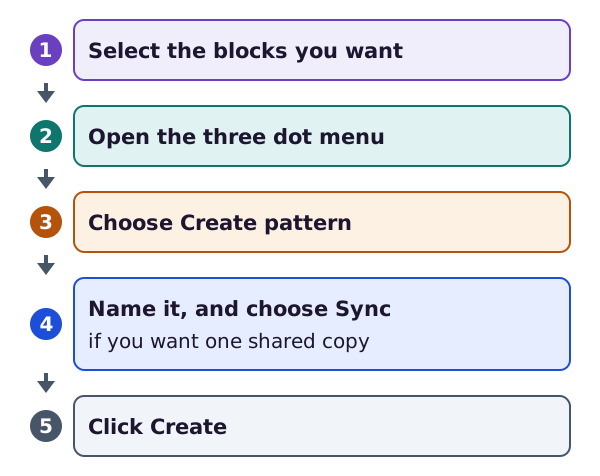
First, select the blocks you want.[2] Then open the three-dot menu and choose Create pattern. Give it a name.[2] Then click Create.[2]
Your saved patterns appear in the inserter, under My patterns.[1]
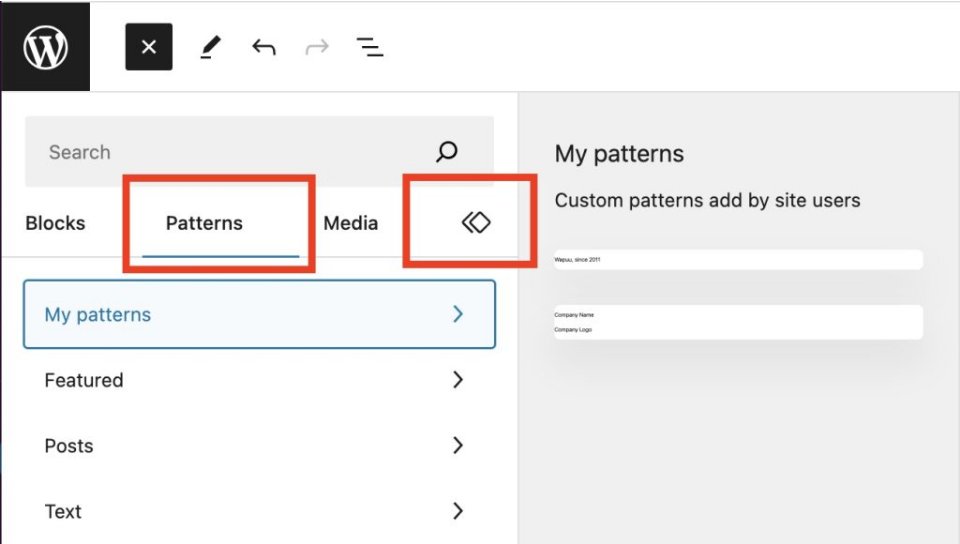
You can rename, duplicate, export or delete a pattern later. You find these choices in the Site Editor.[1]
Synced and not synced
When you save a pattern, there is a Synced switch.[2]
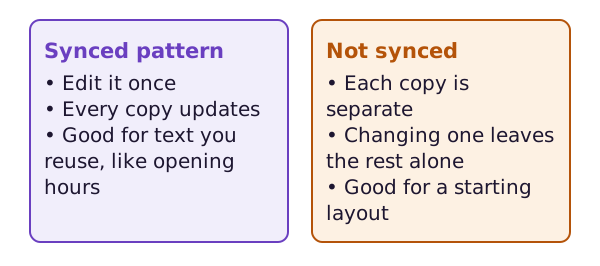
A synced pattern updates everywhere you used it when you edit it.[1] Here is a good use. Say you end every post with the same note. If you make it a synced pattern, you only write it once.[2]
A pattern that is not synced is just a starting point. Once you insert it, it is separate. There is no link back to the original.[1]
You can also detach a synced pattern in one place. Then you can edit that copy without affecting the saved pattern.[1]
A bit of history
Synced patterns used to be called reusable blocks. WordPress 6.3 renamed them.[1] You may still see the old name in older guides.
Where next
Patterns shape a small area. A theme shapes the whole site. The next section starts with block themes and classic themes.
Sources
- Block Patterns, WordPress.org Documentation (accessed 2026-10-18)
- Synced Patterns (Reusable blocks), WordPress.org Documentation (accessed 2026-10-18)